OPEN Beta

We're still perfecting our Vestiaire Collective to Whatnot integration, sign up now to be a part of the beta!

How to Connect Vestiaire Collective to Whatnot: The Ultimate Cross-Listing Guide

ExportYourStore makes it easy to link your Vestiaire Collective and Whatnot accounts, and even easier to sync and manage all of your products. With our powerful marketplace integration app, you can create custom automation rules to control exactly how your products import into your Whatnot store, adjust pricing, designate a source store to act as your center of command, and so much more. Connecting your Vestiaire Collective store to Whatnot has never been easier, faster, or more efficient!

Multichannel listings

How to Sync Your Products from Vestiaire Collective to Whatnot

Syncing your products from Vestiaire Collective to Whatnot is simple and easy with ExportYourStore. Once you've completed a quick one-time setup to designate your Vestiaire Collective account as your source store, you'll be able to define your own custom mapping rules to determine exactly how products cross-list on Whatnot. Plus, as an-all-in-one multichannel selling app, ExportYourStore also monitors incoming orders and syncs stock accordingly across your linked channels, so you'll never need to worry about overselling. And to make daily multichannel management even easier, you'll have access to an intuitive integrated dashboard view of all your linked selling channels, complete with key information and valuable cross-channel insights.

Step 1
Connect Your Vestiaire Collective Store to ExportYourStore
Use our simple and intuitive one-time setup to connect your Vestiaire Collective store with our powerful integration app.
Step 2
Select Your Products and Create Automation Rules
Choose products to import from Vestiaire Collective, customize smart automation rules, and create custom product sets.
Step 3
Start Selling your Products on Whatnot
Export with AI and let it run! All your selected products will sync automatically to Whatnot, so you can start selling right away.
Vestiaire Collective to Whatnot Integration

What Makes ExportYourStore the Best Vestiaire Collective to Whatnot AI-Powered Integration Crosslisting App

ExportYourStore is the best marketplace integration app to export your listings from Vestiaire Collective into Whatnot because it makes the process of linking your accounts, importing products, and syncing inventory between platforms simple and intuitive. Our intelligent system can handle every aspect of connecting Vestiaire Collective to Whatnot - from inventory synchronization to marketplace listing optimization - with just a few simple clicks. Additionally, our smart dashboard will show you a variety of stats and data across your selling channels, so that you can keep tabs on how well each marketplace, item, or category is performing. ExportYourStore makes it easier than ever to migrate your Vestiaire Collective store to Whatnot, seamlessly synchronize and manage your inventory across platforms, and reach new customers where they prefer to shop.

Vestiaire Collective to Whatnot

ExportYourStore AI Crosslisting Tools

Turn your Vestiaire Collective listings into high-performing Whatnot products with powerful AI automation!

Export with AI – auto-fill missing details and list on Whatnot in one click.
Generate SEO-optimized titles and descriptions for Vestiaire Collective products tailored to Whatnot.
Automatically fix missing fields and attributes to meet Whatnot’s requirements with one click.
Auto-match product categories between Vestiaire Collective and Whatnot to save hours of manual work.
Crosslist faster, expand your reach, and boost your Whatnot sales with AI.
Sync Vestiaire Collective to Whatnot & Integrate Your Sales Channels
sell Vestiaire Collective products on Whatnot
SIMPLE AND FAST

Integrate Your Vestiaire Collective Store with Whatnot with a Single Click

Once you've linked your Vestiaire Collective source store, our smart integration app makes it easy to export your products from Vestiaire Collective and import them into Whatnot with just one click! You can choose to sync all your items in one go, to sync only certain items, or create custom product sets to import, all with just a few clicks. Simply select the items or product sets from your Vestiaire Collective account, then click “Export”. Right away, your selected items will begin importing to Whatnot, with any custom rules you've created applied automatically.

FULLY AUTOMATED

Automatically Sync Products, Prices, and Quantities Between Vestiaire Collective and Whatnot

Enjoy truly hands-off integration between Vestiaire Collective and Whatnot thanks to 24/7 automatic monitoring and synchronization for inventory, products, and pricing. ExportYourStore monitors incoming orders on Vestiaire Collective and adjusts quantity on Whatnot accordingly and vice versa, so you never have to worry about overselling. Plus, automatic custom pricing rules mean you never have to worry about cross-channel pricing errors, either.

check
Automatic inventory synchronization between Vestiaire Collective and Whatnot.
check
Custom product set creation for bulk item management in Whatnot.
check
Custom pricing automation rules to tailor Vestiaire Collective products prices for Whatnot.
check
One-time setup for your Vestiaire Collective store ensures perfect integration with Whatnot.
sell Vestiaire Collective products on Whatnot
import products from Vestiaire Collective to Whatnot
Rules and Ajustments

Optimize Vestiaire Collective Product Data for Whatnot with Smart Automated Rules

Give your Vestiaire Collective products a head start on Whatnot with custom optimization rules that enable you to define exactly how your products export from Vestiaire Collective to Whatnot. Easily tailor product attributes, set quantity limits for each channel, adjust pricing, map product categories, and even select which products to cross-list, all with automatic rules.

check
Create custom product attribute rules to tailor your Vestiaire Collective products for Whatnot.
check
Map products to categories and create category-specific Whatnot import rules.
check
Utilize rules to select which Vestiaire Collective products to sync with Whatnot.
check
Employ quantity rules to automatically manage inventory in Whatnot.
Product Sets

Define Custom Product Sets and Apply Set-Specific Rules When Exporting Vestiaire Collective Products to Whatnot

To help you manage your multichannel business in a way that works for you, ExportYourStore enables you to group products into custom product sets and apply set-specific modifications and rules when exporting them to Whatnot. Select products from Vestiaire Collective you want to further optimize, then implement custom rules to adjust pricing, change product dimension units, further customize titles, alter item condition, and more.

Sync Vestiaire Collective to Whatnot & Integrate Your Sales Channels
sell Vestiaire Collective products on Whatnot
MultiChannel Selling

Easily Link Multiple Stores Across A Variety of Channels to Your Vestiaire Collective Source Store

Unleash your Vestiaire Collective store's potential and discover the power of multichannel commerce with ExportYourStore. Your Vestiaire Collective store can become much more than a single selling channel - it can become the operations hub of your multichannel ecommerce business and integrate with an unlimited number of stores on over 10 ecommerce platforms. You'll be able to manage everything from your source Vestiaire Collective store, and ExportYourStore will take care of the rest.

Additional Features
Sync Vestiaire Collective to Whatnot & Integrate Your Sales Channels

Why ExportYourStore is the Best Solution for Exporting Your Vestiaire Collective Store to Whatnot

True integration between Vestiaire Collective and Whatnot means more than just cross-listing your products; it requires a complete solution for day-to-day multichannel management. ExportYourStore does just that, with truly smart start-to-finish integration at every step of the way. With robust automations, customizable rules, and an informative integrated dashboard, ExportYourStore puts everything you need to manage and grow your multichannel online business right at your fingertips.

Integrated Dashboard Overview

ExportYourStore brings all your stores’ data and statistics into a beautifully integrated dashboard view. See all your products, revenue reports, live order updates, and more in one straightforward and informative interface.

Full Marketplace Optimization

Vestiaire Collective and your linked Whatnot account each have their own unique requirements, which can complicate store integration. ExportYourStore optimizes your Vestiaire Collective listings for your linked Whatnot account and ensures a smooth and seamless integration.

Safeguards to Avoid Overselling

With 24/7 inventory updates, our system makes sure that you never sell the same item twice. Once an item is sold on Vestiaire Collective, your linked Whatnot account quantity updates; once an item sells on your linked Whatnot account, your source Vestiaire Collective store updates.

Advanced Customized Rules

Create powerful and advanced custom rules, so that you can export and manage products from your Vestiaire Collective store in a way that works for your linked Whatnot account. Create rules to adjust pricing, product attributes, titles, item condition, and more.

Support for Multiple Stores and Accounts

With ExportYourStore, you’re not limited to just one exported store. You can export your Vestiaire Collective store to a single Whatnot account just as easily as you can export it to multiple Whatnot accounts. There’s no limit to where you can sell!

Manage Everything from Your Source Store

Manage your Whatnot store from a place that’s already familiar and intuitive – your Vestiaire Collective store. Your Vestiaire Collective source store becomes a powerful tool to manage your inventory, both in Whatnot and in all other linked marketplaces and accounts.

Vestiaire Collective
Whatnot
Link Vestiaire Collective with Whatnot

Popular Vestiaire Collective to Whatnot Sync Settings

Connect Vestiaire Collective to Whatnot in one click!

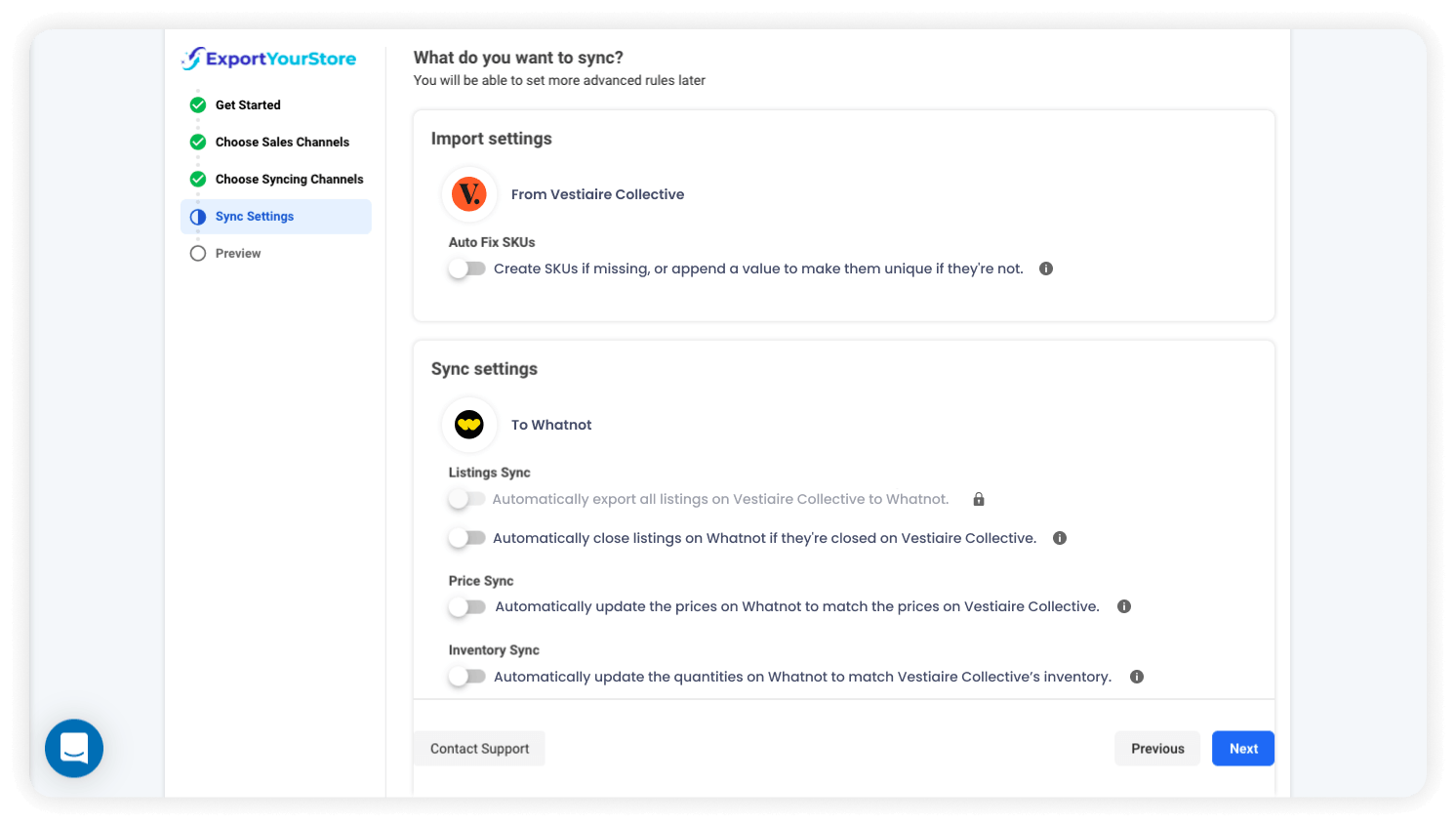
When a product is sold on your Vestiaire Collective source store, its quantity will automatically update in your linked Whatnot account.
When a product is sold on your linked Whatnot account, its quantity will automatically update in your Vestiaire Collective source store.
When an item's price is changed on your Vestiaire Collective source store, the change will automatically reflect on your linked Whatnot account.
When a new product is created in your Vestiaire Collective source store, it will also be created automatically on your linked Whatnot account.
When a listing closes on your Vestiaire Collective source store, it will automatically close on your linked Whatnot account.
Sync Vestiaire Collective with Whatnot

Why Vestiaire Collective Users ❤️ ExportYourStore

ExportYourStore is a one-click marketplace integration platform that's designed to be accessible to all sellers, whether they have just a little tech know-how or a lot. It is the only integration system that already has over 10 of the world's leading marketplaces built-in, with ready-to-sell integration tools right at your fingertips. ExportYourStore lets you link Vestiaire Collective to Whatnot with a single click, with zero technical skill and practically no learning curve. Get started now and integrate your Vestiaire Collective source store with your linked Whatnot account today!

Easily integrate your Vestiaire Collective source store with a new or existing Whatnot account with ExportYourStore's powerful marketplace integration platform.
Customize product data and ensure that product syncing from your Vestiaire Collective source store to your linked Whatnot account happens exactly the way you want.
Enjoy ultra-fast support via live chat or email. Our support team of marketplace integration experts is available to offer support and to assist you with any questions or issues.
Grow your eCommerce business, increase sales, and reach more customers by connecting your Vestiaire Collective account with 10+ of the world's leading marketplaces.

Trusted by 5,000+ Sellers

Leave a review
facebook logowebretailer logoecommerce bytes logoamazon logotrustpilot logotrustpilot logoFixThePhoto Logo
George
Very professional, I am happy that we are working with you and that I recommended you to our manager. In the future if you have any customers that have any questions, send them to me and I’ll give the best recommendation.
George
trustpilot review exportyourstore
Helped my company to export all item from eBay to Amazon, I have no idea how I can list items on Amazon without their help. They response to my messages in timely manner and always ready to help if there is any problem with listing. Highly recommended!
Kate Nichyparuk
I just wanted to take this chance to tell you how much I appreciate how hard your company has worked to remedy this problem with amazon. I have been reading the correspondence and I appreciate all you have done to figure this out. I commend your company for this and am very impressed. Thanks.
Jon Werner
Just wanted to say thanks today…no questions or issues 😉 We had our biggest day on Amazon yesterday
Deanna
We have been with this company for several years now and ONLY with their assistance have we been able to list our products on Amazon. Their program runs smoothly and easily allowing us to concentrate our focus on our business and customers. Customer Support is fast, effective and have become a vital part of our company. We can highly recommend this service and folks our longevity with the company says it all!
Judy armstrong
man vector
Outstanding service.
Excellent service, very helpfully and polite, always searching for a custom solution if it is not a standard problem. Absolutely recommended, if you need to export your store from eBay to Amazon use only ExportYourStore, don't waste time looking for others!
Marcin kret
man vector
Excellent service, prompt with replies and help support given on 1 to 1 by Yarden. Highly recommended. Great team. Thank you!
Decorate homes

Excellent

TrustPilot